BestSync Offers the Following Solutions:
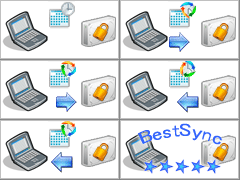 1. Automatically backup your critical
data to external storage, NAS, FTP, network volume by a flexible schedule,
and manage the history versions. BestSync supports the Volume Shadow Copy Service of Windows 8/10/11, Windows Server 2012/2016/2019/2022,
allowing the data of running programs such as SQL database, Outlook PST file, and even
OS drive to be backed up correctly. BestSync filters files that have changed since the last run, making backups really fast. Restoring old versions is also
very fast and easy with the log view. BestSync can
run
as a Windows service
, so no user logon is necessary. BestSync
can impersonate a local user to backup data to another server when run as a Windows
service.
1. Automatically backup your critical
data to external storage, NAS, FTP, network volume by a flexible schedule,
and manage the history versions. BestSync supports the Volume Shadow Copy Service of Windows 8/10/11, Windows Server 2012/2016/2019/2022,
allowing the data of running programs such as SQL database, Outlook PST file, and even
OS drive to be backed up correctly. BestSync filters files that have changed since the last run, making backups really fast. Restoring old versions is also
very fast and easy with the log view. BestSync can
run
as a Windows service
, so no user logon is necessary. BestSync
can impersonate a local user to backup data to another server when run as a Windows
service.
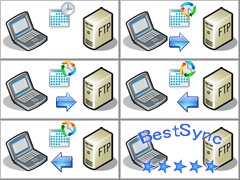 2. Synchronize local data with an FTP server in both directions. Distributed branches of a company can use BestSync
to keep their data synchronized automatically. Web server mirroring allows a number of servers to provide identical HTML pages to web users.
The web users' connections are distributed across all the servers (which need to
have identical content) for optimized load balance. The file-change-monitoring
feature synchronizes files immediately after they are changed. When a file is
changed, deleted, or renamed, the file is copied to, deleted from, or renamed in
the target folder immediately.
2. Synchronize local data with an FTP server in both directions. Distributed branches of a company can use BestSync
to keep their data synchronized automatically. Web server mirroring allows a number of servers to provide identical HTML pages to web users.
The web users' connections are distributed across all the servers (which need to
have identical content) for optimized load balance. The file-change-monitoring
feature synchronizes files immediately after they are changed. When a file is
changed, deleted, or renamed, the file is copied to, deleted from, or renamed in
the target folder immediately.
 3. Keep files and folders synchronized between disks or computers. This enables you to work with files on either computer and always
be sure you are working with the latest version.
3. Keep files and folders synchronized between disks or computers. This enables you to work with files on either computer and always
be sure you are working with the latest version.
 4. Synchronize files, Outlook mail, contacts, etc. between
office and home using a USB drive or FTP
with compression and encryption features
. You can synchronize, compress and encrypt
files to a USB drive in the office, and synchronize, decompress and decrypt them on your home
PC. Even if the USB drive is lost, the data is difficult to decipher. Once the
task is set up, the synchronization action is as simple as inserting the USB drive into the PC and removing it!
4. Synchronize files, Outlook mail, contacts, etc. between
office and home using a USB drive or FTP
with compression and encryption features
. You can synchronize, compress and encrypt
files to a USB drive in the office, and synchronize, decompress and decrypt them on your home
PC. Even if the USB drive is lost, the data is difficult to decipher. Once the
task is set up, the synchronization action is as simple as inserting the USB drive into the PC and removing it!
 5. Publish your website in a very simple and reliable way. Only changed
files are published to your website, and deleted files are also removed from your
website if you want. You can exclude certain folders and file types. The
updated files can be confirmed in the log view.
5. Publish your website in a very simple and reliable way. Only changed
files are published to your website, and deleted files are also removed from your
website if you want. You can exclude certain folders and file types. The
updated files can be confirmed in the log view.

